
VoIP Conference Calling: The Complete Guide to Better Team Communication
VoIP conference calling has become the backbone of modern business communication, allowing teams across different cities and countries to connect instantly over the internet. Instead of relying on traditional phone lines, businesses now use VoIP conference calling to host meetings, collaborate on projects, and stay connected with clients without the limitations of legacy telephony. As remote and hybrid work continue to grow, understanding how this technology works can help you choose the right setup for your team.
What Is VoIP Conference Calling
VoIP stands for Voice over Internet Protocol, a technology that transmits voice data through the internet rather than copper phone lines. When applied to conference calling, it allows multiple participants to join a single call from anywhere in the world using just an internet connection.
This differs from traditional conferencing because it does not depend on dedicated phone hardware. All you need is a stable internet connection, a device, and a VoIP application or platform.
How VoIP Conference Calls Work
When someone speaks during a VoIP call, their voice is converted into digital data packets. These packets travel through the internet to reach every participant on the call, where they are converted back into audio in real time.
This process happens within milliseconds, making conversations feel natural and immediate, much like a face to face discussion.
Key Benefits of VoIP Conference Calling
Flexibility and Mobility
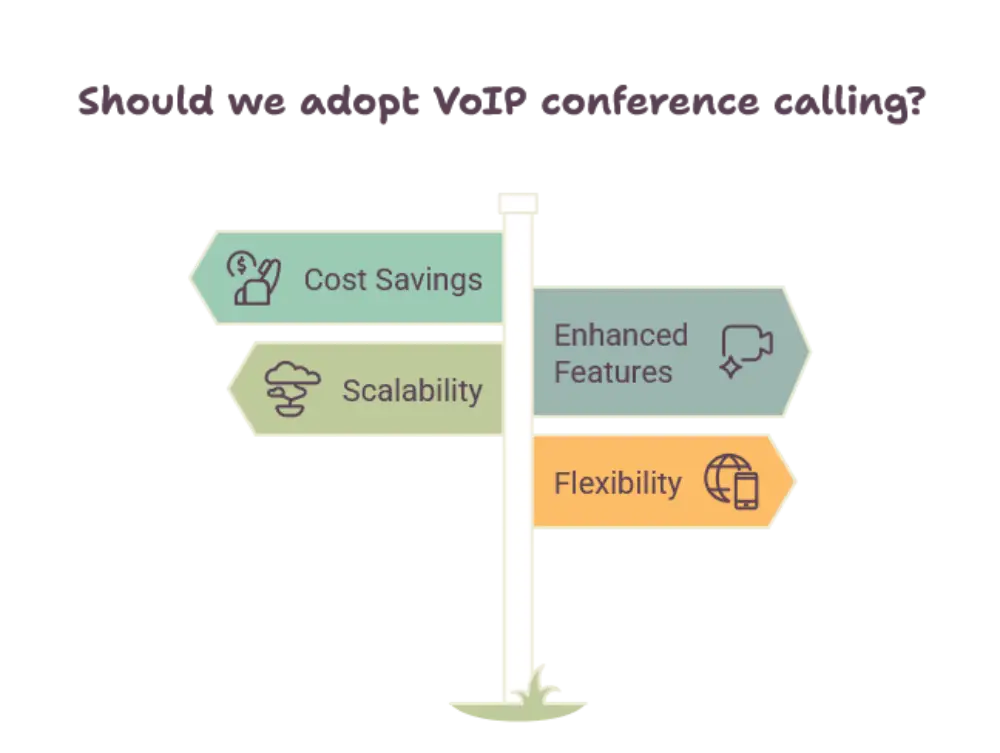
Team members can join calls from a laptop, smartphone, or tablet, regardless of their physical location. This flexibility supports remote work, business travel, and distributed teams working across time zones.
Better Audio and Video Quality
Modern VoIP systems often deliver clearer audio and sharper video than older analog systems, especially when paired with a strong internet connection. Many platforms also include noise cancellation features that reduce background distractions during calls.
Scalability for Growing Teams
VoIP conferencing systems can easily accommodate additional participants as a business grows. Unlike traditional phone systems that require new hardware installations, most VoIP platforms allow you to scale up simply by adjusting your account settings.
Integration With Other Business Tools
Many VoIP conferencing platforms integrate directly with calendars, project management tools, and customer relationship management software. This means meetings can be scheduled, recorded, and shared without switching between multiple applications.
Essential Features to Look For
High Definition Audio and Video
Clear communication is the foundation of any successful conference call. Look for platforms that prioritize high definition audio along with video clarity, especially for teams that rely heavily on visual collaboration.
Screen Sharing and Collaboration Tools
Screen sharing allows participants to present documents, slides, or software demonstrations in real time. Combined with virtual whiteboards and chat features, these tools make remote collaboration feel more interactive.
Call Recording and Transcription
Recording meetings ensures nothing important gets missed. Automatic transcription takes this a step further by converting spoken conversations into searchable text, which is especially useful for reviewing action items later.
Security and Encryption
Since VoIP calls travel over the internet, encryption is essential to protect sensitive business conversations. Reliable platforms use end to end encryption to keep data secure from unauthorized access.
How VoIP Conference Calling Improves Team Collaboration
Reduces Communication Delays
Instead of waiting for scheduled in person meetings, teams can jump on a quick VoIP call to resolve issues immediately. This reduces bottlenecks and keeps projects moving forward.
Supports Hybrid and Remote Work Models
As more companies adopt flexible work arrangements, VoIP conference calling ensures that remote employees remain just as connected as those working in the office. Meetings become location independent, giving everyone equal access to important discussions.
Enhances Client Communication
Businesses can use VoIP conferencing to host client meetings, product demonstrations, and consultations without requiring travel. This creates a more professional and efficient experience for both the business and the client.
Best Practices for Effective VoIP Conference Calls
Test Your Internet Connection Beforehand
A stable internet connection is critical for call quality. Testing your connection speed before an important meeting can help you avoid interruptions or dropped calls.
Use a Quality Headset or Microphone
Clear audio starts with good equipment. A dedicated headset or external microphone can significantly improve how you sound compared to a built in laptop microphone.
Set a Clear Agenda
Sharing an agenda before the call helps participants stay focused and ensures the meeting covers all necessary topics efficiently.
Mute When Not Speaking
Encouraging participants to mute their microphones when not actively speaking helps reduce background noise and keeps the conversation clear for everyone involved.
The Future of VoIP Conference Calling
As artificial intelligence continues to develop, VoIP conferencing platforms are beginning to include smarter features such as real time translation, automated meeting summaries, and intelligent noise filtering. These advancements are making virtual meetings feel even more seamless and productive.
Cloud based infrastructure also continues to improve reliability, allowing businesses of all sizes to host large scale conferences without worrying about hardware limitations.
Conclusion
VoIP conference calling has transformed how businesses communicate, offering flexibility, clarity, and powerful collaboration tools that traditional phone systems simply cannot match. Whether you are running a small team meeting or hosting a large virtual conference, VoIP technology makes it easier to stay connected from anywhere. As remote work continues to shape the modern workplace, investing time in understanding and optimizing your VoIP conference calling setup can lead to smoother meetings and stronger team communication overall.
FAQs
What is VoIP conference calling?
VoIP conference calling is a method of hosting group calls over the internet instead of traditional phone lines, allowing multiple participants to join from any location using an internet connected device.
Do I need special equipment for VoIP conference calling?
No special equipment is required, though a quality headset or microphone can improve audio clarity during calls.
Is VoIP conference calling reliable for large meetings?
Yes, most modern VoIP platforms are built to support large scale meetings with multiple participants while maintaining clear audio and video quality.
Can VoIP conference calls be recorded?
Many VoIP conferencing platforms offer built in recording and transcription features, making it easy to review meetings later.
Is VoIP conference calling secure?
Reputable VoIP platforms use encryption to protect calls and data, helping ensure that business conversations remain private and secure.













Post Comment