
Hybrid Work Communication Tools: How to Keep Every Team Connected
Hybrid work is now a permanent part of how companies operate. Teams split their time between home and the office, and that makes clear communication harder than ever. The right hybrid work communication tools close the gap between people in different places, so everyone stays informed, involved, and productive.
This guide explains what these tools are, which types matter most, and how to use them well.
- What Are Hybrid Work Communication Tools?
- Why Communication Breaks Down in Hybrid Teams
- Core Types of Hybrid Work Communication Tools
- Key Features to Look For
- Best Practices for Using Hybrid Work Communication Tools
- Common Mistakes to Avoid
- How to Choose the Right Setup for Your Team
- The Future of Hybrid Work Communication Tools
- Conclusion
- FAQs
What Are Hybrid Work Communication Tools?
Hybrid work communication tools are digital platforms that help teams share information and collaborate, whether they sit in the same room or in different cities.
They cover everything from instant messaging and video calls to shared documents and task boards. Their main job is to make sure location never decides who gets heard.
When they work well, an employee at home has the same access to conversations and decisions as a colleague at the office.
Why Communication Breaks Down in Hybrid Teams
Hybrid teams face problems that fully remote or fully on site teams rarely see.
Here are the most common ones:
- Office staff make quick decisions in hallways, and remote colleagues miss them
- Messages arrive at different times, so people work with outdated information
- Meetings favor those sitting in the room, while remote voices get lost
- Teammates feel isolated when they rarely see each other
These gaps cause confusion, repeated work, and frustration. Good tools reduce all of them, but only when teams choose and use them with care.
Core Types of Hybrid Work Communication Tools
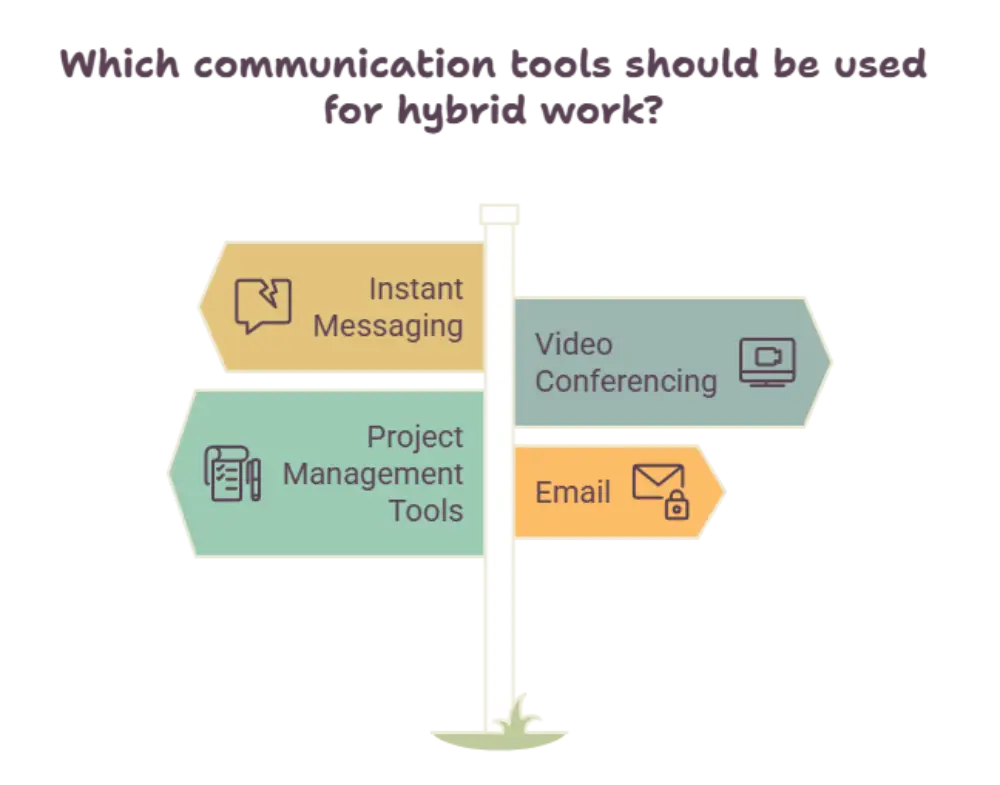
No single platform solves every need. Most successful teams combine a few tool types, each with a clear purpose.
Instant Messaging and Team Chat
Team chat is the heartbeat of daily communication. It replaces long email threads with quick, searchable conversations.
Channels organized by project or topic keep discussions focused. Direct messages handle quick questions without interrupting anyone’s day.
A good chat tool also lets people set their status, so colleagues know when someone is available, focused, or offline.
Video Conferencing Platforms
Video calls bring faces and voices together, which builds trust across distance.
For hybrid teams, the best platforms offer clear audio, screen sharing, breakout rooms, and live captions. These features help remote participants feel as present as those in the meeting room.
Recording options also matter. They let people who missed a session catch up on their own time.
Shared Document and Collaboration Spaces
Teams need one place where work lives. Shared workspaces allow several people to write, edit, and comment on the same file at once.
This removes the confusion of multiple file versions flying around. Everyone sees the latest update, and feedback happens right inside the document.
Project and Task Management Software
Clarity about who does what and by when keeps hybrid teams moving.
Task boards, timelines, and progress trackers make work visible to everyone. Managers can spot blockers early, and team members can see how their tasks connect to larger goals.
Virtual Whiteboards
Brainstorming used to need a room and a marker. Digital whiteboards now let teams sketch ideas, map processes, and vote on options together from anywhere.
They are especially useful for creative sessions, planning workshops, and design reviews.
Key Features to Look For
Not every platform suits every team. When evaluating hybrid work communication tools, focus on features that support real daily needs.
Smooth Integration
Tools that connect with each other save time. When your chat, calendar, and task board share information, people stop switching between apps all day.
Strong Security
Hybrid teams work from many networks and devices. Look for encryption, access controls, and secure sign in options to protect sensitive conversations and files.
Ease of Use
A tool nobody understands will not be used. Simple design and a short learning curve help everyone adopt it quickly, including less technical team members.
Mobile Access
People move between home, office, and travel. Reliable mobile apps keep communication flowing wherever they are.
Searchable History
Being able to find past messages and decisions helps new joiners and prevents the same questions from being asked again and again.
Best Practices for Using Hybrid Work Communication Tools
Software alone does not create good communication. Habits and clear agreements make the difference.
Set Clear Communication Guidelines
Decide which tool is used for which purpose. For example, urgent matters go to chat, detailed updates go to shared documents, and big discussions go to video calls.
When everyone follows the same rules, nothing gets lost.
Practice Remote First Meetings
Treat every meeting as if all participants were remote. Everyone joins from their own device, or the room setup ensures remote attendees can see and hear clearly.
This simple habit keeps meetings fair and inclusive.
Favor Written Updates
Writing things down helps people in different time zones and schedules stay informed. Summaries of meetings, decisions, and next steps should always be shared in a common space.
Respect Working Hours
Constant notifications cause burnout. Encourage teammates to use scheduling features, set quiet hours, and avoid expecting instant replies outside normal hours.
Make Room for Social Connection
Teams that only talk about tasks lose their sense of belonging. Create casual channels for sharing news, celebrating wins, and chatting about interests.
These small moments build the trust that makes collaboration easier.
Common Mistakes to Avoid
Even well chosen tools can fail when used poorly. Watch out for these pitfalls:
- Using too many platforms, which scatters information and overwhelms people
- Skipping training, which leaves features unused
- Letting chat become noisy, so important messages get buried
- Ignoring feedback from employees about what is and is not working
Review your setup regularly. Ask your team what helps them and what slows them down, then adjust.
How to Choose the Right Setup for Your Team
Start with your team’s real needs rather than popular trends.
Map out how your people currently communicate, where delays happen, and what frustrates them most. Then match tools to those problems.
Run a small trial with one team before rolling out company wide. This reveals practical issues early and helps you gather honest feedback.
Finally, appoint champions within each team who can guide colleagues and share helpful tips.
The Future of Hybrid Work Communication Tools
These platforms continue to evolve. Smart summaries, automatic meeting notes, and real time translation are already making collaboration easier.
Immersive meeting spaces and better room technology are also narrowing the gap between those at home and those at the office.
The direction is clear: tools will keep getting smarter, but the goal stays the same. Help people understand each other and work well together.
Conclusion
Hybrid work succeeds or fails on communication. The right mix of chat, video, shared documents, task tracking, and whiteboards keeps every team member connected, no matter where they log in.
Choose hybrid work communication tools that fit your team’s real habits, then support them with clear guidelines and regular feedback. When people feel informed and included, productivity and morale follow naturally.
FAQs
What are hybrid work communication tools?
Hybrid work communication tools are digital platforms that help teams share messages, hold meetings, and collaborate on work whether they are in the office or working remotely.
Why are communication tools important for hybrid teams?
They keep everyone informed and included. Without them, remote employees can miss decisions, and office staff can lose track of what their remote colleagues are doing.
Which types of tools does a hybrid team need?
Most teams benefit from team chat, video conferencing, shared document spaces, task management software, and virtual whiteboards, all working together smoothly.
How can managers improve communication in a hybrid team?
Managers can set clear guidelines for each tool, run inclusive meetings, share written updates, respect working hours, and regularly ask for team feedback.
What mistakes should teams avoid when using these tools?
Avoid using too many platforms, skipping training, allowing chat to become noisy, and ignoring employee feedback about what works and what does not.














Post Comment