
VoIP Bandwidth Calculator: How to Estimate the Internet Speed Your Calls Need
Choppy audio, dropped words, and robotic voices usually point to one problem: not enough bandwidth. A VoIP bandwidth calculator helps you avoid that by estimating how much internet capacity your voice calls need before you go live.
Whether you run a small office or a busy call center, planning bandwidth is one of the smartest steps you can take. This guide explains how the calculation works, what affects the result, and how to use it with confidence.
- What Is a VoIP Bandwidth Calculator?
- Why Bandwidth Planning Matters for Voice Quality
- Key Factors a VoIP Bandwidth Calculator Uses
- Typical Bandwidth Per Call by Codec
- How to Calculate VoIP Bandwidth Manually
- A Practical Example
- Tips to Reduce Bandwidth Use and Improve Call Quality
- Common Mistakes to Avoid
- Conclusion
- Frequently Asked Questions
What Is a VoIP Bandwidth Calculator?
A VoIP bandwidth calculator is a tool that estimates the network capacity required to carry voice calls over the internet. You enter a few details, and it returns the upload and download speed you should plan for.
Most calculators ask for:
- The audio codec in use
- The number of simultaneous calls
- The packet interval
- The network type, such as Ethernet or WiFi
The result is a clear number in kilobits per second (kbps) or megabits per second (Mbps). You can then compare it with your available internet speed.
Why Bandwidth Planning Matters for Voice Quality
Voice is real time traffic. Unlike a web page that can load a second late, a voice packet that arrives late is useless.
When bandwidth runs short, you may notice:
- Choppy or robotic audio
- One way audio
- Echo and long delays
- Dropped calls
These problems frustrate customers and hurt your team’s productivity. A proper estimate lets you fix capacity issues before users ever notice them.
Key Factors a VoIP Bandwidth Calculator Uses
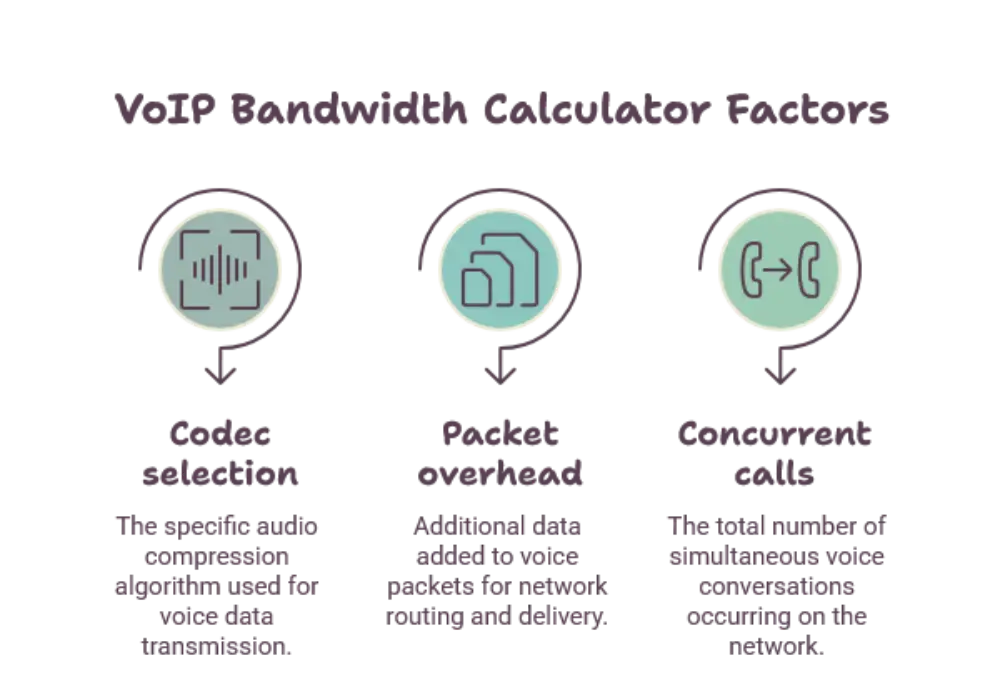
Every VoIP bandwidth calculator relies on the same core inputs. Understanding them helps you trust the result.
Codec Choice
The codec compresses your voice into digital data. Each codec uses a different amount of bandwidth and delivers a different level of clarity.
A high quality codec sounds better but needs more capacity. A compressed codec saves bandwidth but may reduce clarity slightly.
Packetization Interval
Voice is sent in small packets, usually every 20 milliseconds. That means about 50 packets travel every second.
A shorter interval creates more packets and more overhead. A longer interval reduces overhead but adds a little delay.
Packet Overhead
Each voice packet carries extra headers for addressing and delivery. These include IP, UDP, and RTP headers, which add roughly 40 bytes per packet.
Ethernet adds even more on a local network. Overhead is often overlooked, yet it can add a large share to the total.
Number of Concurrent Calls
Bandwidth is not based on how many users you have. It is based on how many people talk at the same time.
If you have 100 employees but only 20 are usually on calls together, plan around those 20 calls, plus room for peaks.
Other Network Traffic
Your voice calls share the connection with email, video meetings, cloud apps, and downloads. A good plan leaves space for all of it.
Typical Bandwidth Per Call by Codec
These figures are close estimates for one call, including common packet overhead at a 20 millisecond interval. Real results vary slightly by network type.
- G.711: The codec itself uses 64 kbps. With overhead, plan for about 80 to 87 kbps per call. It offers excellent clarity.
- G.729: The codec uses 8 kbps. With overhead, expect about 24 to 31 kbps per call. It suits limited connections.
- G.722: This wideband codec uses 64 kbps and needs about 80 to 87 kbps with overhead. It sounds fuller and clearer.
- Opus: This flexible codec adjusts to network conditions. It commonly runs from about 24 kbps to 64 kbps before overhead.
Remember that every call needs bandwidth in both directions. A call using 87 kbps needs 87 kbps of upload and 87 kbps of download.
How to Calculate VoIP Bandwidth Manually
You do not always need software. The math behind a VoIP bandwidth calculator is simple, and knowing it helps you double check any tool.
Start With One Call
Use this formula:
Bandwidth per call = (voice payload size + header size) × 8 × packets per second
At 20 milliseconds, G.711 has a payload of 160 bytes. Add 40 bytes of IP, UDP, and RTP headers and you get 200 bytes per packet.
Multiply 200 bytes by 8 to get 1,600 bits. Multiply by 50 packets per second and the result is 80,000 bits per second, or 80 kbps.
Add about 7 kbps for Ethernet headers and you reach roughly 87 kbps per call.
Multiply by Concurrent Calls
Take your per call figure and multiply it by the number of simultaneous calls. This gives your base requirement.
Add Headroom
Never plan for the exact number. Add a safety margin of about 20 to 30 percent to handle spikes, signaling traffic, and other network activity.
A Practical Example
Imagine an office that expects 20 simultaneous calls using G.711.
- Per call bandwidth: about 87 kbps
- Base requirement: 87 kbps × 20 = 1,740 kbps, or about 1.7 Mbps
- With 25 percent headroom: about 2.2 Mbps
So this office needs at least 2.2 Mbps of dedicated upload and download for voice alone. If the same office switched to G.729, the same 20 calls would need roughly 625 kbps before headroom.
That shows how much the codec choice matters.
Tips to Reduce Bandwidth Use and Improve Call Quality
Once you know your number, you can shape your network to support it. These habits make a real difference.
Enable Quality of Service
Quality of Service, or QoS, tells your router to treat voice packets as a priority. This keeps calls clear even when other traffic surges.
Choose the Right Codec
Match the codec to your connection. If bandwidth is tight, a compressed codec keeps calls stable. If you have plenty of capacity, a wideband codec improves clarity.
Use Wired Connections Where Possible
Ethernet is more stable than WiFi. Desk phones and softphones on wired connections suffer fewer delays and less packet loss.
Separate Voice Traffic
A dedicated voice network, often called a VLAN, keeps calls apart from heavy data traffic. It also makes troubleshooting easier.
Monitor Your Network
Test your connection regularly. Watch for jitter, latency, and packet loss, since these hurt voice quality even when raw speed looks fine.
Common Mistakes to Avoid
Even with a good VoIP bandwidth calculator, a few errors can throw off your plan.
- Counting total users instead of simultaneous calls
- Ignoring packet overhead and using only the codec rate
- Forgetting that upload speed matters as much as download speed
- Skipping headroom for growth and busy periods
- Overlooking video calls and screen sharing, which need far more capacity than voice
Avoiding these mistakes gives you a plan that holds up in real conditions.
Conclusion
A VoIP bandwidth calculator takes the guesswork out of network planning. By looking at your codec, packet interval, overhead, and number of concurrent calls, it shows exactly how much capacity your voice system needs.
Use the formula in this guide to check your numbers, add sensible headroom, and apply simple improvements such as QoS and wired connections. With the right plan in place, your calls stay clear, stable, and professional.
Frequently Asked Questions
What is a VoIP bandwidth calculator?
A VoIP bandwidth calculator is a tool that estimates how much internet capacity your voice calls need. It uses your codec, number of simultaneous calls, and packet settings to give a recommended upload and download speed.
How much bandwidth does one VoIP call use?
It depends on the codec. A G.711 call uses about 80 to 87 kbps, while a G.729 call uses about 24 to 31 kbps, both including packet overhead. Each call needs this amount in both upload and download directions.
Does codec choice affect VoIP bandwidth?
Yes, it has a major impact. Higher quality codecs such as G.711 use more bandwidth, while compressed codecs such as G.729 use much less. Choosing the right codec balances call clarity with available capacity.
How much extra bandwidth should I add for headroom?
Most experts suggest adding about 20 to 30 percent above your calculated figure. This buffer covers traffic spikes, signaling data, and other applications sharing the same connection.
Is upload speed or download speed more important for VoIP?
Both matter equally, because voice calls are two way and use the same bandwidth in each direction. Upload speed is often the limiting factor, since many connections offer less upload than download capacity.














Post Comment