
Beginner’s Guide to VoIP Communication
In today’s digital world, communication is no longer confined to traditional phone lines. Voice over Internet Protocol (VoIP) has revolutionized how we connect with others—especially in business, remote work, and global collaboration. If you’re new to this technology, don’t worry. This beginner’s guide to VoIP communication will walk you through the essentials, from how it works to how you can start using it with confidence.
What Is VoIP?
VoIP stands for Voice over Internet Protocol. It’s a method of transmitting voice calls over the internet instead of through a traditional telephone network. VoIP converts your voice into digital signals and transmits them via your internet connection, enabling you to make calls using a computer, smartphone, VoIP-enabled desk phone, or any internet-connected device.
How VoIP Communication Works
Understanding the basics of VoIP communication helps demystify how it fits into your daily life or business setup.
Digital Conversion and Data Transfer
When you speak into a VoIP device, your voice is converted into data packets. These packets are sent over the internet to the recipient, where they’re reassembled into audio. This happens in real-time, allowing for clear and efficient communication.
Internet Dependency
VoIP relies entirely on a stable internet connection. Whether through Wi-Fi, broadband, or mobile data, the quality of your VoIP call is directly affected by your internet speed and reliability.
Devices You Can Use
VoIP can be used across various devices, including:
- Smartphones with VoIP apps
- Laptops and desktops with microphones and headsets
- Dedicated VoIP desk phones
- Tablets and smart home assistants
Benefits of VoIP for Beginners
Switching to VoIP offers a range of benefits, especially for first-time users looking for a flexible, modern communication tool.
Enhanced Portability
VoIP allows you to make and receive calls from anywhere with an internet connection. Whether you’re traveling or working remotely, VoIP ensures you’re always connected.
Advanced Features
Most VoIP services include features like call forwarding, voicemail to email, video calling, and virtual numbers—all of which enhance your communication without needing extra equipment.
Easy Setup and Use
Setting up VoIP systems is usually straightforward, especially for consumer-grade or app-based solutions. Many VoIP services come with user-friendly interfaces, drag-and-drop call flows, and mobile apps that require minimal technical know-how.
Getting Started with VoIP
If you’re ready to explore VoIP, here’s how to begin.
Step 1: Assess Your Internet Connection
The first step in adopting VoIP is ensuring your internet connection is fast and stable. VoIP requires a consistent signal to maintain voice clarity and prevent call drops. Wired connections (Ethernet) are generally more stable than wireless ones.
Step 2: Choose a VoIP Service Provider
There are many VoIP providers on the market. Consider your communication needs—do you plan to use VoIP for personal calls, home office work, or business operations? Choose a provider that offers the features, support, and compatibility you require.
Step 3: Select Your Equipment
You can use:
- A VoIP-enabled desk phone
- A regular phone with a VoIP adapter
- A headset with a microphone connected to your PC
- A mobile device with a VoIP app
Each has pros and cons depending on how you prefer to communicate.
Step 4: Install and Configure the Software
Most VoIP providers offer apps or software for computers and mobile devices. Install the software, log in with your credentials, and follow the setup prompts. You may need to configure audio settings and grant microphone permissions.
Step 5: Make Your First VoIP Call
Once set up, test your VoIP system by making a few calls. Experiment with features like call transfer, mute, or video if available. This is a good time to explore what your VoIP system can do.
Common Features in VoIP Systems
VoIP is more than just voice calling. Even basic setups come with useful features:
Call Forwarding and Routing
Direct calls to your mobile, voicemail, or another team member when you’re unavailable.
Voicemail to Email
Receive voicemail messages as audio files in your email inbox.
Video and Conference Calling
Conduct team meetings or face-to-face chats from any location.
Caller ID and Call Blocking
Know who’s calling and avoid spam or robocalls.
Auto Attendant
A virtual receptionist that directs callers to the right department or person.
Tips for a Smooth VoIP Experience
If you’re new to VoIP, these tips can help you get the most out of your communication experience.
Use a Quality Headset
A good headset improves audio clarity and reduces background noise, making your conversations more professional and pleasant.
Test Your Setup
Before any important call or meeting, test your internet, microphone, and speakers. This prevents awkward disruptions.
Monitor Bandwidth Usage
Heavy internet usage like streaming or large downloads can affect VoIP call quality. Keep VoIP calls on a priority connection if possible.
Update Software Regularly
Ensure your VoIP apps or devices are running the latest version to maintain performance and security.
VoIP for Different User Types
VoIP isn’t one-size-fits-all. Here’s how it adapts to different needs:
VoIP for Remote Workers
Remote employees can take their business number anywhere, collaborate via video, and stay available during work hours, all through VoIP platforms.
VoIP for Home Users
Individuals can reduce traditional phone bills and enjoy additional features like caller ID, voicemail, and even international calling.
VoIP for Small Businesses
Businesses benefit from scalability, allowing them to add new lines, extensions, or features as the team grows—without new hardware.
Is VoIP Secure?
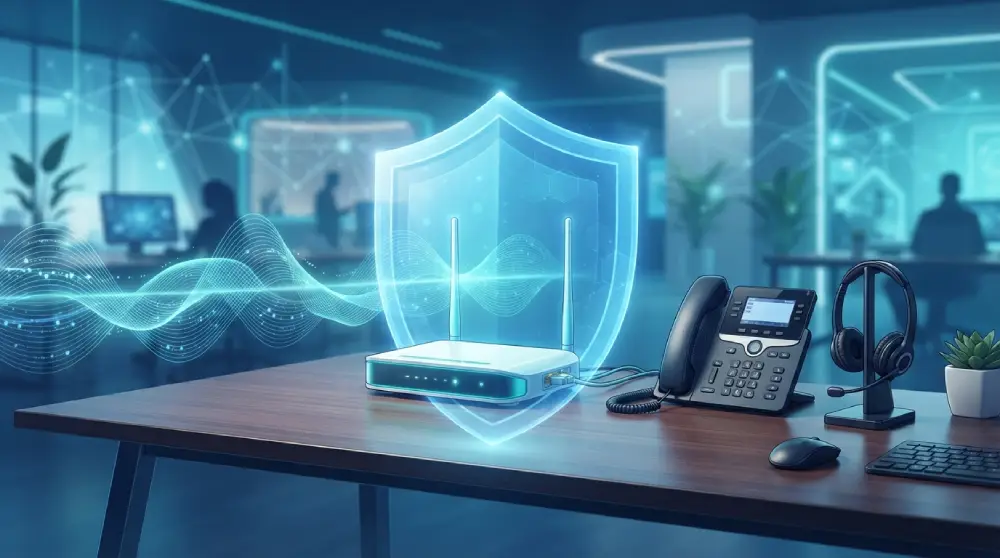
Security is often a concern for new users. Most modern VoIP systems use encryption protocols to protect your calls and data. However, always choose a trusted provider and use strong passwords, secure Wi-Fi connections, and antivirus software to add layers of protection.
Future of VoIP Communication
As technology advances, VoIP is expected to become even more seamless and intelligent. AI-powered voice assistants, automated transcription, and integrations with business tools like CRMs and helpdesks will enhance productivity and user experience.
VoIP will also continue to be a cornerstone of hybrid and remote work models, providing reliable, location-independent communication.
Final Thoughts
VoIP communication is an accessible and powerful alternative to traditional phone systems. Whether you’re a remote worker, a small business owner, or a tech-savvy home user, VoIP offers flexibility, modern features, and ease of use.
This beginner’s guide to VoIP communication has covered everything from setup to everyday use. As you become more comfortable with the technology, you’ll likely discover even more ways to streamline your communication and stay connected, wherever you are.
FAQs
What equipment do I need to use VoIP?
You typically need a stable internet connection, a device (smartphone, computer, or VoIP phone), and a VoIP service provider. Headsets and microphones can improve call quality.
Can I use VoIP with my existing phone?
Yes, you can use a VoIP adapter to convert a traditional landline phone into a VoIP-enabled device.
Does VoIP work on mobile phones?
Absolutely. Most VoIP providers offer apps for Android and iOS, allowing you to make and receive calls over Wi-Fi or mobile data.
Is VoIP good for international calls?
Yes, VoIP is a popular option for international communication. It often provides higher quality and reliability compared to traditional international calling.
What happens if my internet goes down?
Since VoIP depends on an internet connection, calls won’t work if your internet is down. Some systems offer automatic call forwarding to a mobile number in case of outages.













Post Comment