VoIP Phone Buying Guide: Everything You Need to Know Before You Choose
If you are researching a VoIP phone buying guide, you are probably trying to move your business communication away from traditional landlines and into something more flexible and modern. VoIP phones use your internet connection to make and receive calls, and choosing the right one can shape how smoothly your team communicates every single day. This guide walks you through the features, types, and considerations that matter most so you can make a confident, informed decision.
What Is a VoIP Phone
A VoIP phone, short for Voice over Internet Protocol phone, transmits voice calls as data over the internet instead of through traditional copper telephone lines. This technology allows businesses to make calls using broadband connections, often combining voice, video, and messaging into a single unified system. Because the setup relies on internet infrastructure, it tends to offer more flexibility than legacy phone systems.
How VoIP Phones Work
When you speak into a VoIP phone, your voice is converted into digital packets that travel across the internet to reach the person you are calling. On the receiving end, those packets are converted back into audio. This process happens almost instantly, which is why call quality on a stable connection can feel just as natural as a traditional phone call.
Types of VoIP Phones to Consider

Understanding the different types of VoIP phones available will help you narrow down what fits your workplace.
Desk Phones
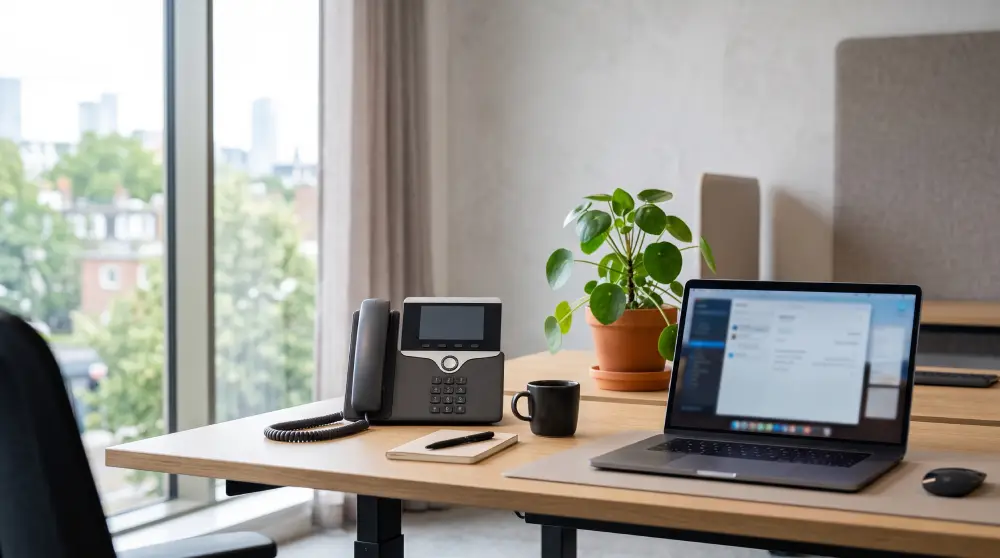
Desk phones look similar to traditional office phones but connect through an internet connection rather than a phone line. They are ideal for employees who spend most of their day at a desk and need a dedicated, reliable device for calls.
Softphones
A softphone is an application installed on a computer, tablet, or smartphone that turns the device into a VoIP phone. This option suits remote teams, hybrid workplaces, and employees who travel frequently since it removes the need for physical hardware.
Conference Phones
Conference phones are built for meeting rooms and group calls. They typically include enhanced microphones and speakers designed to pick up voices clearly from multiple directions around a table.
Wireless and Cordless VoIP Phones
These phones offer mobility within an office space, allowing employees to move around while remaining connected to a call. They are especially useful in environments like warehouses, retail spaces, or larger office floors.
Key Features to Look For
Choosing the right VoIP phone comes down to matching features with how your team actually communicates.
Call Quality and Audio Clarity
Look for phones that support wideband audio codecs, since these deliver clearer and more natural sounding calls. Noise cancellation and echo reduction are also valuable additions, particularly for open office environments.
Compatibility With Your Existing System
Before selecting a phone, confirm that it integrates smoothly with your current VoIP service provider and any software your business already relies on, such as customer relationship management tools or team messaging platforms.
Number of Lines and Call Handling
Some roles require handling multiple calls at once. Phones with support for several lines, call transfer, call hold, and call forwarding can be essential for receptionists, support teams, or sales departments.
Display and Usability
A clear screen with an intuitive interface makes daily use easier. Features like caller ID display, visual voicemail, and simple navigation menus reduce training time for new employees.
Power and Connectivity Options
Check whether the phone supports Power over Ethernet, which allows the device to receive power through the same cable used for internet connectivity. This simplifies installation and reduces cable clutter around desks.
Security Features
Since VoIP phones rely on internet connections, encryption and secure authentication protocols matter. Look for devices that support secure real time transport protocol and other safeguards that protect call data from interception.
Questions to Ask Before You Buy
Before finalizing your decision, it helps to think through a few practical questions.
Does It Support Your Team’s Work Style
Consider whether your employees work primarily from a fixed desk, move around frequently, or work remotely. This will determine whether you need desk phones, cordless models, softphones, or a mix of several types.
Will It Scale With Your Business
As teams grow, communication needs change too. Choose a system that allows you to add new phones or extensions without a complicated setup process.
Is It Easy to Manage
Centralized management through an admin dashboard can save significant time, allowing IT staff to configure settings, monitor call quality, and troubleshoot issues without visiting each device individually.
What Kind of Support Is Available
Reliable customer support and clear documentation can make a real difference when technical issues arise. Look into how responsive the support team is and whether resources like guides and tutorials are easy to access.
Setting Up Your VoIP Phone System
Once you have chosen your devices, the setup process typically involves connecting each phone to your network, configuring extensions, and testing call quality across different locations in your office. Many providers offer guided setup tools or onboarding support to help this process go smoothly.
Testing Your Internet Bandwidth
Since VoIP calls depend on your internet connection, it is worth checking your available bandwidth beforehand. A stable and sufficiently fast connection helps prevent dropped calls, choppy audio, or delays during conversations.
Training Your Team
Even simple systems benefit from a short training session. Walking employees through basic functions such as transferring calls, setting up voicemail, and using conference features can reduce confusion later.
Common Mistakes to Avoid
Many businesses run into avoidable issues when selecting a VoIP phone. Skipping bandwidth testing, choosing hardware that does not match employee work styles, or ignoring long term scalability are frequent missteps. Taking time to evaluate your actual communication habits before purchasing can prevent these problems altogether.
Conclusion
Choosing the right VoIP phone comes down to understanding how your team communicates, what features genuinely matter for daily operations, and how well a device fits into your existing setup. Whether you need a simple desk phone, a mobile friendly softphone, or a dedicated conference room solution, taking the time to evaluate your options carefully will lead to a smoother and more reliable communication experience for your entire organization.
Frequently Asked Questions
What is the main difference between a VoIP phone and a traditional phone?
A VoIP phone transmits calls using an internet connection, while a traditional phone relies on physical copper telephone lines.
Can I use a VoIP phone without a computer?
Yes, many VoIP desk phones and cordless models function independently and only require an internet connection to operate.
Do VoIP phones work during an internet outage?
No, since VoIP phones depend entirely on an active internet connection, they will not function properly if the connection goes down.
Are VoIP phones suitable for remote teams?
Yes, softphone applications allow remote employees to make and receive calls from a computer or mobile device without needing physical hardware.
How many phones can I add to a VoIP system?
Most VoIP systems are designed to scale easily, allowing businesses to add new phones or extensions as their team grows.














Post Comment