Softphone vs Desk Phone: Which One Is Right for Your Business?
Choosing between a softphone vs desk phone is one of the most common decisions when setting up a business phone system. Both let you make and receive calls over the internet, but they work in very different ways.
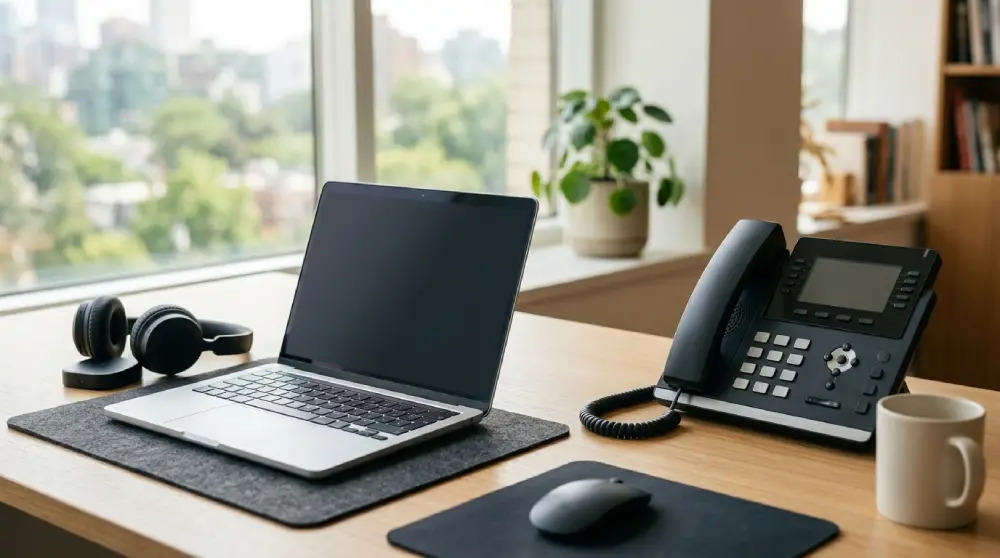
A softphone is an app that runs on a computer, tablet, or smartphone. A desk phone is a physical device that sits on your desk.
This guide compares them side by side so you can pick the right fit for how your team actually works.
What Is a Softphone?
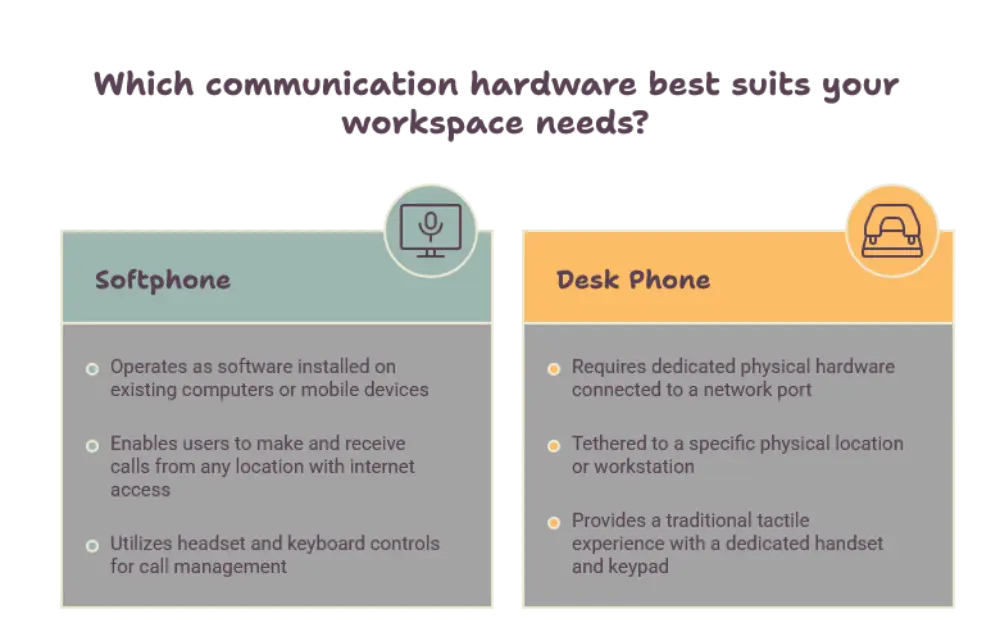
A softphone is software that turns a device you already own into a phone. You install the app, sign in, and start calling.
Calls travel over your internet connection. You use a headset or your device’s built in speaker and microphone to talk.
Softphones usually include useful extras, such as:
- Call forwarding and voicemail
- Video meetings and screen sharing
- Chat and presence status
- Contact syncing across devices
Because the phone lives in an app, your number goes wherever your device goes.
What Is a Desk Phone?
A desk phone is a dedicated piece of hardware built for calling. It has a handset, a keypad, a display, and buttons for common actions like hold, transfer, and mute.
Modern desk phones connect through your network and work with a business phone service. They feel familiar to most people, which makes them easy to adopt.
Many models also offer:
- Speakerphone for group calls
- Programmable line keys
- Wideband audio for clear voices
- Support for a wired or wireless headset
Desk phones are simple, sturdy, and always ready to use.
Softphone vs Desk Phone: Key Differences
Now let’s look at how these two options compare in daily use.
Mobility and Flexibility
This is where softphones shine. You can take calls from a laptop at home, a phone at the airport, or a tablet in a meeting room. Your business number follows you.
A desk phone stays where you put it. That is perfect for a fixed workspace, but it limits you if your team moves around or works remotely.
Call Quality and Reliability
Desk phones are built for one job, so they tend to deliver steady, clear audio. They do not compete with other apps for your device’s attention.
Softphone quality depends on your device, your headset, and your internet connection. With a good headset and a stable network, calls can sound excellent. But a busy computer or weak WiFi can affect clarity.
Desk phones also keep working if your computer crashes or restarts, which matters for teams that cannot afford missed calls.
Features and Integrations
Softphones connect easily with the tools your team already uses. Think CRM records that pop up when a customer calls, click to dial from a contact page, and automatic call logging.
Desk phones cover the essentials very well, and many support advanced features too. But deep software integrations are usually easier to build into a softphone app.
Setup and Maintenance
A softphone is quick to roll out. You download the app, assign a user, and you are done. Updates arrive automatically, and there is nothing to unbox or plug in.
A desk phone needs to be delivered, connected, and configured. Once it is running, though, it needs very little attention.
Security and Control
Both options can be secured with encryption and strong access controls. With a softphone, security also depends on the device it runs on, so keeping devices updated matters.
Desk phones stay in a controlled office, which can make them easier to manage in environments with strict rules.
When a Softphone Is the Better Choice
A softphone fits best when flexibility is the priority. It is a strong pick if:
- Your team works from home or splits time between locations
- Employees travel often and need to stay reachable
- You want calling and messaging in one app
- You need to add or remove users quickly
- Your staff already spend most of the day at a computer
Sales teams, consultants, remote support agents, and growing startups often prefer softphones for these reasons.
When a Desk Phone Is the Better Choice
A desk phone works best when reliability and simplicity come first. It is a strong pick if:
- Your team sits at fixed desks all day
- Staff handle a high volume of calls
- Reception and front desk roles need quick access to hold and transfer buttons
- Some employees prefer a familiar handset over a screen
- You want calling to stay separate from computer tasks
Offices, clinics, hotels, and reception areas often lean on desk phones because they are dependable and easy for anyone to use.
Can You Use Both?
Yes, and many businesses do. A hybrid setup gives each person the tool that suits their role.
For example, a front desk might use a desk phone, while managers use a softphone on their laptops and mobiles. An employee could even have a desk phone in the office and a softphone for working from home, all on the same number.
This approach removes the need to choose one side completely. It also makes it easier to adapt as your team changes.
How to Choose the Right Option
Start by looking at how your people actually work. A few simple questions can guide you:
- Where do your employees spend most of their time?
- How many calls does each role handle in a day?
- Do you rely on tools that need to connect with your phone system?
- How strong and stable is your internet connection?
- Do you expect your team to grow or change locations?
If most answers point to movement and flexibility, lean toward softphones. If they point to steady, high volume calling at fixed desks, lean toward desk phones.
Also think about comfort. A good headset makes a softphone far more pleasant, and a quality handset makes a desk phone easy to use all day.
Conclusion
The softphone vs desk phone decision comes down to how your team works. Softphones offer freedom, quick setup, and strong integrations. Desk phones offer dependable audio, simple operation, and a familiar feel.
Neither is better in every situation. For many businesses, the smartest answer is a mix of both, matched to each role.
Look at your team’s habits, test what fits, and choose the option that keeps your conversations clear and your customers happy.
FAQs
What is the main difference between a softphone and a desk phone?
A softphone is an app that makes calls through a computer or mobile device, while a desk phone is a physical device dedicated to calling. Softphones offer more mobility, and desk phones offer simple, dependable hardware.
Do softphones need a good internet connection?
Yes. Softphones send calls over the internet, so a stable connection helps keep audio clear. A quality headset also improves the experience.
Can a softphone replace a desk phone completely?
It can, especially for remote or mobile teams. However, roles with heavy call volume or fixed desks, such as reception, may still prefer a desk phone.
Is a desk phone more reliable than a softphone?
Desk phones are often seen as more dependable because they run on dedicated hardware and keep working when a computer fails. A softphone can be just as reliable with a stable network and a well maintained device.
Can I use a softphone and a desk phone with the same number?
Yes. Many business phone services let you link both to one number, so you can answer calls on either device and stay reachable wherever you are.













Post Comment