
Remote Work Communication Tools: The Complete Guide for Modern Teams
The way teams work has changed forever. Whether your organization went remote overnight or has been building a distributed workforce for years, one truth remains constant: the quality of your remote work communication tools determines the success of your team. Without the right systems in place, even the most talented professionals can struggle with misalignment, missed deadlines, and collaboration breakdowns.
This guide breaks down everything you need to know about remote work communication tools, how to choose them wisely, and how to build a communication culture that actually works across time zones and screens.
- Why Remote Work Communication Tools Matter More Than Ever
- Understanding the Categories of Remote Work Communication Tools
- Video Conferencing: The Backbone of Remote Team Connection
- Instant Messaging: Keeping Teams Connected Between Meetings
- Project Management Tools: Where Communication Meets Work
- Asynchronous Video: A Game Changer for Remote Teams
- Documentation Tools: The Communication That Outlasts Every Meeting
- Building a Coherent Communication Stack
- Common Mistakes to Avoid When Choosing Remote Communication Tools
- FAQs
Why Remote Work Communication Tools Matter More Than Ever
Before the shift to distributed work, most communication happened naturally. Teams shared hallways, whiteboards, and coffee machines. Those casual touchpoints carried enormous value, building alignment without anyone scheduling a meeting for it.
Remote work removed all of that. In its place, teams need intentional systems and well-chosen remote work communication tools that replicate not just the formal communication of the office, but the informal, spontaneous moments too.
The stakes are high. Poor communication in remote teams leads to duplicated work, delayed projects, employee disengagement, and a culture that feels hollow and disconnected. On the other hand, teams that invest in the right tools and habits consistently report higher productivity, stronger morale, and better results.
Key reasons why the right tools matter:
Every team member needs equal access to information regardless of their location. The tool you choose either enables or blocks that equity from day one.
Understanding the Categories of Remote Work Communication Tools
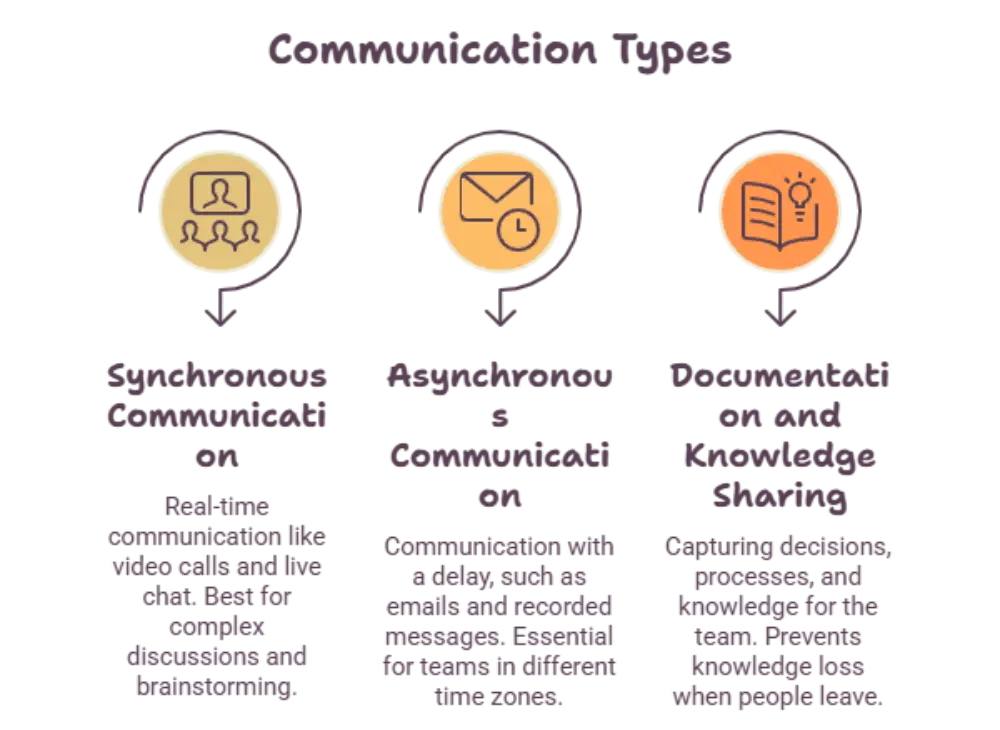
Not all communication is the same. Before picking any specific tool, it helps to understand the different types of communication your team needs to support.
Synchronous Communication happens in real time. Video calls, voice calls, and live chat fall into this category. These are best for complex discussions, relationship building, brainstorming sessions, and anything that benefits from immediate back-and-forth interaction.
Asynchronous Communication happens on a delay. Emails, recorded video messages, project comments, and document annotations are all asynchronous. These are essential for teams working across different time zones and for individuals who need deep focus time without constant interruptions.
Documentation and Knowledge Sharing sits in its own category. It is the system that captures decisions, processes, and institutional knowledge so that nothing lives only inside one person’s head or disappears when they leave a meeting.
Healthy remote teams do not rely on just one of these categories. They build a stack of remote work communication tools that covers all three intentionally and with clear norms around which channel to use when.
Video Conferencing: The Backbone of Remote Team Connection
Video conferencing tools are often the first thing people think of when building their remote work communication toolkit, and for good reason. Face-to-face conversation, even through a screen, carries nuance that text simply cannot replicate. Tone, expression, and body language all contribute to understanding.
Key points to consider when evaluating video tools:
A reliable, high-quality video experience reduces cognitive fatigue for participants. Poor audio is consistently rated the number one frustration in remote meetings, so audio quality should be weighted heavily in your evaluation.
Screen sharing capabilities determine how effectively your team can collaborate on live documents, designs, presentations, and code during meetings.
Recording and transcription features allow team members in different time zones to stay informed without requiring synchronous attendance for every meeting.
Virtual backgrounds and noise suppression features help maintain professionalism when team members are working from varied home environments.
Breakout room functionality is critical for larger organizations that run workshops, training sessions, or team-building activities that require smaller group work within a larger call.
Instant Messaging: Keeping Teams Connected Between Meetings
Real-time messaging tools are the digital equivalent of tapping a colleague on the shoulder. They enable quick questions, fast decisions, and casual team connection that helps maintain relationships between formal meetings.
When evaluating messaging platforms as part of your remote work communication tools strategy, the organizational structure they offer matters enormously at scale. The ability to create dedicated channels by project, department, or topic keeps conversations from collapsing into noise.
Key points for messaging tool selection:
Searchability is critical. Your team will have hundreds or thousands of conversations over time. If you cannot search and find past decisions, you will repeat them.
Thread functionality helps keep conversations organized so that a channel discussing multiple topics does not become impossible to follow.
Integration with your other tools such as project management platforms, calendars, and file storage determines whether your messaging tool connects your workflow or fragments it.
Status indicators and availability signals help team members respect each other’s focus time and reduce the culture of always-on availability that leads to burnout.
Project Management Tools: Where Communication Meets Work
One of the most overlooked dimensions of remote work communication tools is project management software. These platforms are not just task trackers. They are communication systems that contextualize every conversation within the work itself.
When a discussion about a deadline, a design decision, or a bug fix lives inside the project where that work is happening, it stays accessible and relevant. When it happens in a separate chat or email thread, it gets lost the moment the conversation moves on.
Key points for choosing a project management communication tool:
Comment threads attached to specific tasks eliminate the common problem of context-switching between where work lives and where conversation about that work happens.
Notification controls allow team members to choose what updates they receive, preventing the overwhelm that comes from being copied on every project movement.
Timeline and dependency visibility helps teams communicate proactively about blockers before they become crises rather than after.
Guest access features determine how easily your team can bring clients, contractors, or external partners into project conversations without exposing your entire workspace.
Asynchronous Video: A Game Changer for Remote Teams
One of the most powerful categories within modern remote work communication tools is asynchronous video messaging. These tools allow team members to record short video messages, screen walkthroughs, or quick updates that recipients can watch at their convenience.
This format solves a real problem. Some communication is too nuanced for text but not worth scheduling a full meeting. A manager can record a five-minute walkthrough of feedback on a design. A developer can record a screen capture explaining a technical decision. A team lead can send a personal update that builds connection without requiring a 9 AM calendar block from a team member in a different country.
Key points to consider:
Async video dramatically reduces meeting volume without sacrificing the human connection that text alone cannot provide.
Watching speed controls allow recipients to consume content efficiently rather than sitting through a recording in real time.
Comment and reaction features allow the conversation to continue around the video, keeping the thread accessible for future reference.
Documentation Tools: The Communication That Outlasts Every Meeting
If your team holds great meetings and has productive conversations but fails to document decisions and processes, you are constantly rebuilding institutional knowledge from scratch. Documentation tools are the long-term memory of your remote team.
A well-maintained knowledge base means that new team members can onboard without monopolizing a senior colleague’s time. It means that the answer to a recurring question lives somewhere accessible rather than buried in someone’s email. It means that when a process changes, the update lives in one place that everyone can find.
Key points for documentation platforms:
Searchability and structure determine whether your documentation actually gets used or quietly becomes a graveyard of outdated pages.
Collaborative editing features allow multiple team members to contribute and refine documentation in real time or asynchronously.
Permissions and access controls ensure that sensitive information is only visible to appropriate team members while keeping general knowledge open and accessible.
Version history gives teams confidence that they can make changes without permanently losing previous information.
Building a Coherent Communication Stack
Choosing individual remote work communication tools is only half the challenge. The other half is making sure they work together as a coherent system rather than a fragmented collection of platforms your team does not know how to navigate.
Start by auditing your actual communication needs. Map out the types of communication your team has in a typical week, who needs to be involved, how urgently responses are needed, and how long that communication needs to remain accessible. Then match tool categories to those needs.
Establish clear norms. The most common source of remote communication failure is not the tools themselves. It is the absence of shared agreement about how those tools should be used. Define which channel is used for urgent issues versus general updates versus strategic discussions. Define expected response times for each channel. Define what warrants a meeting versus what should be handled asynchronously.
Fewer tools are almost always better than more tools. Every additional platform your team uses creates friction, context-switching cost, and the risk that important communication happens somewhere no one else is watching.
Common Mistakes to Avoid When Choosing Remote Communication Tools
Many teams learn these lessons the hard way. You do not have to.
Over-meeting is one of the most common responses to remote work communication anxiety. When teams are not sure if people are aligned, they schedule more meetings. More meetings drain energy, reduce focus time, and often communicate less than a well-written asynchronous update would.
Ignoring mobile experience is a significant oversight. Team members often check messages, update tasks, and join quick calls from their phones. A tool that works poorly on mobile will either be abandoned or create a two-tier experience between office-based and truly mobile team members.
Choosing tools that do not integrate forces your team to copy information between platforms manually, which means it stops happening. Integrations are not a nice-to-have. They are a prerequisite for tools actually being used.
Failing to get team buy-in before rolling out a new tool is the fastest way to see adoption fail. Teams that feel imposed upon rather than consulted will resist even genuinely useful tools.
FAQs
What is the most important remote work communication tool for a small team?
For small teams, a reliable video conferencing platform combined with a structured messaging tool typically covers most communication needs. The priority is choosing tools that your team will actually use consistently rather than the most feature-rich options available.
How many communication tools does a remote team actually need?
Most teams function well with three to five core tools covering video conferencing, messaging, project management, documentation, and possibly asynchronous video. Adding more tools beyond genuine needs tends to fragment communication rather than improve it.
How do remote work communication tools support different time zones?
Asynchronous tools such as project comments, documentation platforms, recorded video messages, and structured messaging channels allow team members to contribute and respond on their own schedule without requiring simultaneous availability. Building a culture around async-first communication is essential for globally distributed teams.
How can teams reduce meeting overload while still communicating effectively?
Establishing an async-first communication culture, where synchronous meetings are reserved for complex discussions and relationship building while routine updates happen through written or recorded channels, is the most effective approach. Clear norms about which tool to use for which type of communication reduce unnecessary meeting scheduling significantly.
What should teams look for when evaluating remote work communication tools?
The most important factors are ease of use for all team members regardless of technical skill, reliable performance across varying internet conditions, integration with existing tools, appropriate security and data privacy standards, and strong mobile functionality. The best tool for your team is the one your team will use consistently and well.














Post Comment