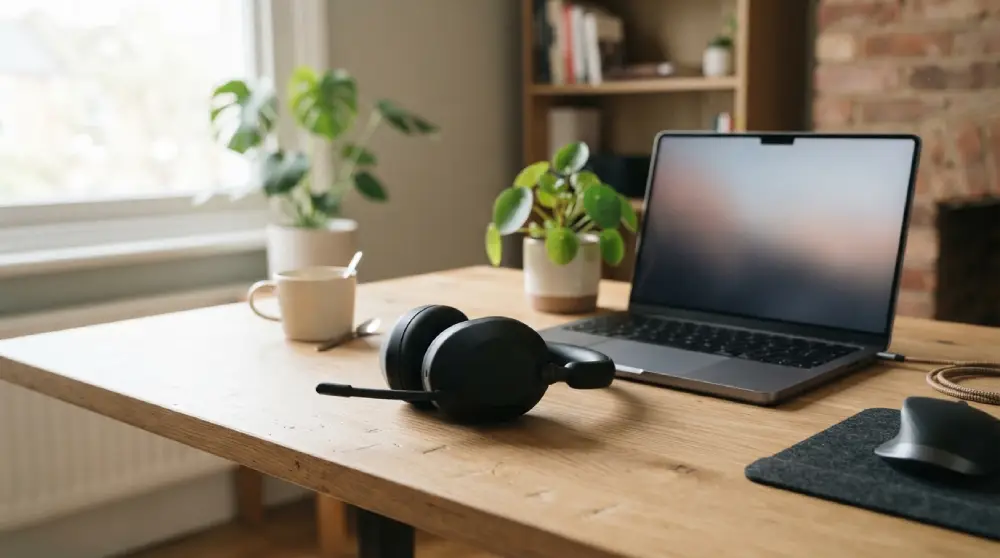
Best VoIP Headsets: How to Choose the Right One for Clear, Comfortable Calls
Finding the best VoIP headsets can transform the way you work. Every call depends on how well you hear and how well you are heard.
A weak headset leads to repeated questions, missed details, and tired ears. A strong one makes every conversation smooth and professional.
This guide explains what to look for, which features matter most, and how to match a headset to your daily routine.
Why a Dedicated VoIP Headset Matters
Many people start with a laptop speaker or basic earbuds. That works for a quick chat, but it falls short when calls fill your day.
A headset built for VoIP is designed for voice first. It focuses on speech clarity, steady comfort, and simple call control.
Clearer Conversations
VoIP calls travel over the internet, so audio quality already depends on several factors. Your headset should never add to the problem.
A quality microphone captures your voice cleanly. Good speakers deliver the other person’s words without distortion.
Less Fatigue
Long calls put strain on your ears, neck, and focus. A well designed headset reduces that strain.
Lightweight frames and soft cushions let you stay comfortable through back to back meetings.
A More Professional Impression
Clients notice audio quality. Background noise, echo, and muffled speech can hurt trust.
The best VoIP headsets help you sound calm, clear, and prepared every time.
Key Features of the Best VoIP Headsets

Not every headset suits every user. These are the features that separate reliable options from average ones.
Microphone Quality
The microphone is the heart of any VoIP headset. Look for a boom microphone that sits close to your mouth.
A close microphone picks up your voice more than the room around you. That means fewer distractions for the person listening.
Flexible boom arms are useful because you can adjust the position for the best pickup.
Noise Cancellation
There are two kinds of noise control to consider. The first is microphone noise cancellation, which filters out background sound from your side of the call.
The second is active noise cancellation in the ear cups, which reduces outside sound so you can hear better.
Open offices, shared homes, and busy cafes all benefit from strong noise control.
Comfort and Fit
Comfort is often the deciding factor for people who wear a headset for hours.
Check for a padded headband, soft ear cushions, and a light overall weight. Adjustable arms help the headset fit different head sizes.
Breathable materials also help you stay comfortable during long shifts.
Sound Quality
VoIP is mostly about speech, so you do not need heavy bass. You need clear midrange sound that makes voices easy to understand.
Wideband audio support improves voice detail and makes conversations feel more natural.
Easy Call Controls
Simple controls save time. Look for buttons or an inline control that lets you answer, end, mute, and adjust volume quickly.
A clear mute indicator, such as a light on the microphone arm, helps you avoid awkward moments.
Wired or Wireless VoIP Headsets
This is one of the biggest choices you will make. Both types have real strengths.
Wired Headsets
Wired headsets offer a steady connection with no battery to charge. They are simple, dependable, and ready when you are.
They suit desk based work where you stay in one place. Many people also prefer them for the consistent audio they deliver.
Wireless Headsets
Wireless headsets give you freedom to move. You can stand, walk, or step away from your desk while staying on the call.
They are helpful for managers, trainers, and anyone who moves between tasks.
Battery life matters here, so choose a model that comfortably lasts through your longest workday. A charging stand or spare battery option adds convenience.
Mono or Stereo: Which Works Better
Mono headsets have one ear cup. They let you hear the call while staying aware of your surroundings.
Stereo headsets cover both ears. They block more distraction and help you focus, which is great for noisy spaces.
Some headsets are also convertible, so you can switch between styles depending on the day.
If you take calls in a busy area, stereo is often the better pick. If you need to hear colleagues nearby, mono may suit you.
Connection Types Explained
The way your headset connects affects both convenience and compatibility.
USB Connection
USB headsets are among the easiest to use. You plug them in, and your computer usually detects them right away.
They often include a built in sound processor, which improves call quality.
3.5mm Audio Jack
A standard audio jack works with many laptops, phones, and desk phones.
It is simple and widely supported, though it may offer fewer smart features than USB models.
Bluetooth and DECT
Bluetooth is common in wireless headsets and pairs easily with phones and computers.
DECT technology is often used in professional wireless headsets. It provides a strong, secure connection with a longer working range.
Check Compatibility Before You Choose
A great headset is only useful if it works with your setup. Confirm that it supports your operating system and your calling software.
Some headsets are certified for popular VoIP platforms. Certification usually means smoother setup and reliable call control buttons.
If you use a desk phone as well as a computer, look for a headset that can connect to both.
Matching a Headset to Your Work Style
The best VoIP headsets are the ones that fit how you actually work. Here is a simple way to think about it.
Remote Workers
Home offices can be quiet one minute and noisy the next. Choose a headset with strong microphone noise cancellation and all day comfort.
A wireless option can help if you like to move around during calls.
Call Center Agents
Agents spend hours on the phone, so durability and comfort come first. A lightweight wired USB headset with a clear boom microphone is a strong choice.
Quick mute and volume controls help agents stay efficient.
Office Teams
Shared spaces call for good noise control. Stereo headsets with noise cancelling microphones help you stay focused and keep conversations private.
Managers and Team Leads
If you are often on the move, a wireless headset with a long range and good battery life keeps you connected.
Tips to Get the Most From Your Headset
A few small habits can improve every call.
Position the microphone about two finger widths from your mouth. This gives a clear voice without harsh breathing sounds.
Test your audio before important calls. A quick check saves time and stress.
Keep your headset firmware updated if the manufacturer provides updates. Updates can improve stability and sound.
Clean the ear cushions regularly to keep them fresh and comfortable.
Finally, store your headset in a safe place when you are done. This protects the microphone arm and cables.
Conclusion
Choosing among the best VoIP headsets comes down to a few clear priorities. Focus on microphone quality, comfort, noise control, and compatibility with your setup.
Decide whether wired or wireless suits your day, and pick mono or stereo based on your environment.
When your headset matches your work style, calls become easier, clearer, and far more pleasant.
Take your time, think about how you work, and choose the headset that helps you sound your best.
FAQs
What makes a headset good for VoIP calls?
A good VoIP headset has a clear boom microphone, comfortable ear cushions, effective noise control, and simple call buttons. It should also work smoothly with your calling software.
Are wireless headsets good for VoIP?
Yes, wireless headsets work well for VoIP, especially if you move around during calls. Choose a model with strong battery life and a stable connection for the best experience.
Should I choose a mono or stereo VoIP headset?
Mono headsets let you stay aware of your surroundings, while stereo headsets block more noise and help you focus. Your choice depends on how noisy your workspace is.
Do I need noise cancellation in a VoIP headset?
Noise cancellation is very helpful, especially in shared or busy spaces. Microphone noise cancellation keeps your voice clear, while ear cup noise control helps you hear the caller.
Is a USB headset better than a 3.5mm headset for VoIP?
USB headsets are often easier to set up and can offer better call quality thanks to built in audio processing. A 3.5mm headset is still a good option for wider device compatibility.














Post Comment