
VoIP Network Requirements: What Your Network Needs for Clear, Reliable Calls
Understanding VoIP network requirements is the first step toward smooth, professional voice calls over the internet. VoIP turns your voice into small data packets and sends them across your network in real time. If the network cannot deliver those packets quickly and in order, calls sound choppy, delayed, or robotic.
The good news is that most modern networks can support VoIP with a few smart adjustments. This guide walks through what your network needs and how to prepare it.
- What Are VoIP Network Requirements?
- Bandwidth Requirements for VoIP
- Latency, Jitter, and Packet Loss
- Quality of Service Settings
- Hardware and Equipment Considerations
- Wired Versus Wireless Connections
- Network Segmentation With VLANs
- Security Requirements for VoIP
- Internet Connection Requirements
- How to Test Your Network Before Switching
- Conclusion
- Frequently Asked Questions
What Are VoIP Network Requirements?
VoIP network requirements are the technical conditions your network must meet to carry voice traffic without quality problems. They cover bandwidth, speed, stability, hardware, and security.
Voice traffic behaves differently from email or file downloads. A late email is no problem. A late voice packet is useless, because the conversation has already moved on.
That is why VoIP needs a network that is fast, steady, and well organized.
Bandwidth Requirements for VoIP
Bandwidth is the amount of data your connection can carry at one time. Every VoIP call uses a small slice of it.
How Much Bandwidth Does Each Call Need?
The amount depends on the codec, which is the method used to compress your voice.
- G.711 uses roughly 87 kbps per call, including network overhead
- G.729 uses roughly 31 kbps per call, including network overhead
A safe planning rule is to reserve around 100 kbps per simultaneous call. This leaves room for signaling data and small traffic spikes.
Upload and Download Both Matter
Many people check only download speed. VoIP is a two way conversation, so upload speed matters just as much.
A connection with fast downloads but weak uploads can still cause one sided audio or dropped words. Always check both numbers.
Plan for Peak Usage
Count the maximum number of calls that may happen at the same time. Then add the bandwidth your other tools use, such as video meetings, cloud apps, and file backups.
Voice should never have to fight for space during your busiest hour.
Latency, Jitter, and Packet Loss
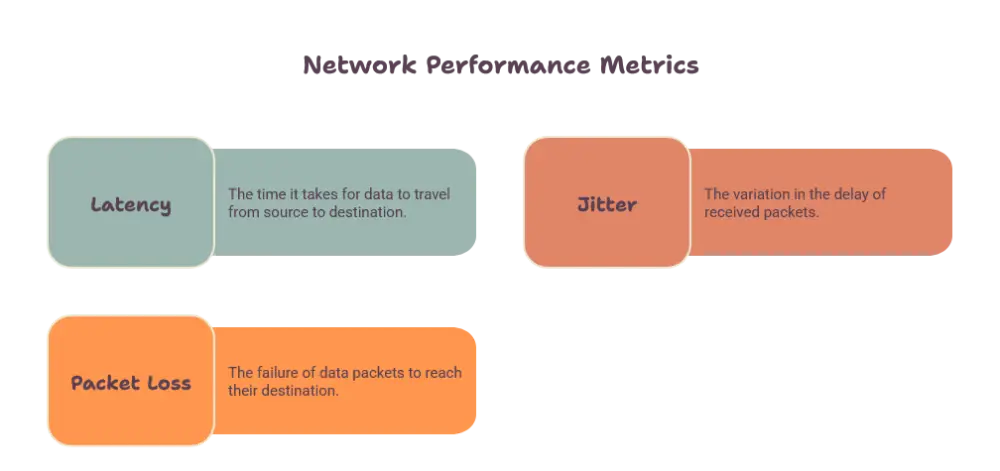
These three measurements decide how good a call actually sounds. Bandwidth alone does not guarantee quality.
Latency
Latency is the time a voice packet takes to travel from one person to the other. High latency creates awkward pauses and people talking over each other.
For good quality, keep one way latency under 150 milliseconds. Lower is always better.
Jitter
Jitter is the variation in the arrival time of packets. If packets arrive at uneven intervals, audio becomes broken or distorted.
Aim to keep jitter under 30 milliseconds. A small jitter buffer on the phone or software can smooth minor issues, but it cannot fix a badly congested network.
Packet Loss
Packet loss happens when voice packets never arrive. Even a small amount creates gaps and clipped words.
Keep packet loss below one percent. Anything higher will be noticeable to callers almost immediately.
Quality of Service Settings
Quality of Service, often called QoS, tells your network which traffic deserves priority. It is one of the most important VoIP network requirements for busy offices.
Why QoS Matters
Without QoS, a large download can push voice packets to the back of the line. With QoS, voice packets move to the front, and calls stay clear even when the network is crowded.
How to Apply QoS
Most business routers let you mark voice traffic using DSCP values. The common marking for voice is EF, which stands for Expedited Forwarding.
Set your router and switches to trust and honor these markings. Then confirm that the same rules apply across every device the voice traffic passes through.
Hardware and Equipment Considerations
Your equipment must be able to handle real time traffic. Older or basic devices often become the weak point.
Routers
Choose a router that supports QoS, handles multiple simultaneous sessions, and does not slow down under load. A router that overheats or runs out of memory will hurt call quality.
Switches
A managed switch gives you control over traffic. It lets you set VLANs, apply QoS, and monitor performance.
Power over Ethernet is also useful. It powers desk phones through the network cable, so you need fewer power adapters and less clutter.
Firewalls
Firewalls protect your network, but they can also block VoIP traffic by mistake. Make sure the firewall allows the ports and protocols your provider uses.
Also check for a feature called SIP ALG. On many routers it interferes with call signaling and causes one way audio or dropped calls. Turning it off often solves these problems.
Wired Versus Wireless Connections
The way your devices connect has a big effect on call quality.
Wired Connections
Ethernet is the most stable option for desk phones and computers. It offers low latency, steady speeds, and very little interference.
Whenever possible, use wired connections for the people who spend the most time on calls.
WiFi Connections
WiFi can work well for VoIP if it is set up correctly. Poor coverage, interference, and too many connected devices are the main risks.
To improve WiFi voice quality:
- Use the 5 GHz band where possible
- Place access points so coverage is strong everywhere calls happen
- Enable voice priority settings, often called WMM
- Avoid crowded channels used by nearby networks
Network Segmentation With VLANs
A VLAN is a separate virtual lane on your network. Putting voice traffic on its own VLAN keeps it away from general data traffic.
This reduces congestion and makes troubleshooting much easier. It also adds a layer of security, because phones are separated from laptops and guest devices.
Small offices may not need this on day one. Growing teams will benefit from it quickly.
Security Requirements for VoIP
Voice traffic is data, so it needs protection like any other business system. Weak security can lead to eavesdropping, fraud, and service interruptions.
Encryption
Use encryption for both signaling and voice. TLS protects call setup, and SRTP protects the audio itself. Together they keep conversations private while they travel across the internet.
Strong Access Controls
Change all default passwords on phones, routers, and admin portals. Use strong, unique passwords and limit who can access settings.
Keep firmware updated on every device. Updates often fix security holes that attackers look for.
Monitoring
Watch your network for unusual activity, such as unexpected call patterns or repeated failed login attempts. Early alerts help you stop problems before they grow.
Internet Connection Requirements
Your internet connection is the foundation of every VoIP call. A few points deserve special attention.
Stability Over Raw Speed
A very fast connection that drops often is worse than a moderate connection that stays steady. Look for consistent performance, low latency, and reliable uptime.
Backup Connectivity
If phones are critical to your business, consider a secondary connection. Many routers can switch automatically to a backup link if the main one fails.
This keeps calls running during outages and gives you peace of mind.
How to Test Your Network Before Switching
Testing your network before you move to VoIP saves time and frustration. It shows you exactly where the gaps are.
Run a VoIP Readiness Test
Use a network test tool that measures upload speed, download speed, latency, jitter, and packet loss. Run it at different times of day, especially during busy hours.
Check Every Location
Test in every area where phones or softphones will be used. Coverage and performance can vary from room to room.
Fix Problems First
If tests show weak results, resolve them before launch. Adjust QoS, upgrade weak equipment, or improve coverage. Solving problems early is far easier than fixing them while customers are on the line.
Conclusion
Meeting VoIP network requirements comes down to a few clear priorities. You need enough bandwidth, low latency, minimal jitter, and almost no packet loss. You also need QoS, capable hardware, secure settings, and a stable connection.
Test your network first, fix weak points, and give voice traffic the priority it deserves. With the right preparation, VoIP delivers clear, dependable calls that support your team every day.
Frequently Asked Questions
What are the basic VoIP network requirements?
The basics are enough upload and download bandwidth, latency under 150 milliseconds, jitter under 30 milliseconds, and packet loss under one percent. You also need a router that supports QoS and a stable internet connection.
How much bandwidth do I need for VoIP calls?
Plan for about 100 kbps per simultaneous call. This covers the codec, network overhead, and small traffic spikes. Add extra bandwidth for other tools that share the same connection.
Does VoIP work well over WiFi?
Yes, it can work well when WiFi coverage is strong and interference is low. Use the 5 GHz band, enable voice priority settings, and place access points carefully. For the best stability, use wired Ethernet for main phones and computers.
What is QoS and why does VoIP need it?
QoS stands for Quality of Service. It gives voice traffic priority over other data so calls stay clear even when the network is busy. Without it, large downloads can cause choppy audio and delays.
How can I test if my network is ready for VoIP?
Run a VoIP readiness test that measures speed, latency, jitter, and packet loss. Test at busy times and in every location where phones will be used. Fix any weak results before you switch.














Post Comment