
VoIP Installation Checklist: A Complete Guide for a Smooth Setup
A VoIP installation checklist is the difference between a phone system that works perfectly from day one and one that causes weeks of frustration. Whether you are setting up VoIP for a small office or a growing enterprise, following a structured process ensures your calls stay clear, your network stays stable, and your team stays productive. This guide walks you through every step you need before, during, and after installation.
Why You Need a VoIP Installation Checklist
Switching to VoIP is not just about plugging in a new phone. It involves your internet bandwidth, network hardware, software configuration, and staff training. Without a proper checklist, businesses often face dropped calls, poor audio quality, or delayed rollouts. A checklist keeps every part of the process organized so nothing gets missed.
Common Problems Without Proper Planning
Businesses that skip planning often run into jittery calls, one way audio issues, or devices that fail to register on the network. These problems usually trace back to bandwidth shortages or incorrect network configuration, both of which a good checklist helps you avoid.
Pre Installation Preparation
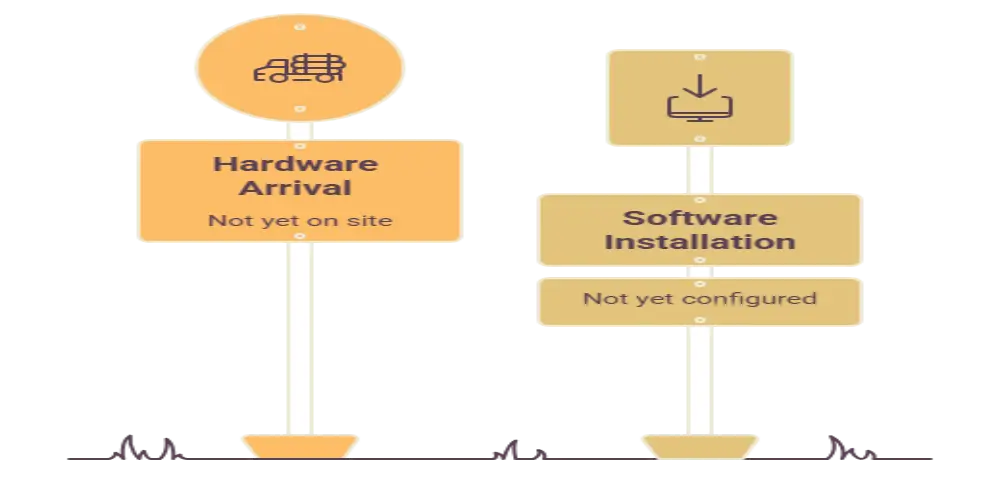
Before any hardware arrives or software gets installed, there is groundwork to complete. This stage sets the foundation for a successful VoIP rollout.
Assess Your Internet Connection
Your internet connection carries every call your business makes. Check your current upload and download speeds, and confirm your provider can handle the added load of voice traffic alongside your regular internet usage. A stable connection with low latency matters more than raw speed alone.
Evaluate Your Network Infrastructure
Look at your routers, switches, and cabling. VoIP calls are sensitive to network congestion, so your infrastructure needs to support Quality of Service settings that prioritize voice traffic over other data.
Choose the Right VoIP Provider and Plan
Select a provider that matches your business size, call volume, and required features such as call forwarding, voicemail to email, or auto attendants. Confirm compatibility with your existing hardware before moving forward.
Prepare Your Physical Space
Make sure power outlets and network ports are available wherever phones or devices will be placed. Label cables and outlets ahead of time to make the physical setup faster and cleaner.
Network Configuration Checklist
Once preparation is complete, the next stage focuses on configuring your network properly to support VoIP traffic.
Set Up Quality of Service
Quality of Service settings tell your network to prioritize voice packets over other types of traffic like file downloads or video streaming. This keeps calls smooth even during busy network hours.
Configure Firewall and Router Settings
VoIP traffic uses specific ports and protocols. Make sure your firewall allows this traffic through without blocking it, and configure your router to avoid unnecessary restrictions that could interrupt calls.
Test Bandwidth Requirements
Calculate how much bandwidth each simultaneous call will require and multiply that by the number of employees who may be on calls at once. This helps confirm your internet plan can handle peak usage.
Separate Voice and Data Networks
Where possible, use a separate VLAN for voice traffic. This reduces interference from other network activity and improves call reliability significantly.
Hardware Setup Checklist
With the network ready, it is time to move on to physical hardware installation.
Install IP Phones or Softphones
Depending on your business needs, you may install physical IP phones, softphone applications on computers, or a mix of both. Confirm each device connects properly to the network before proceeding.
Set Up Headsets and Accessories
If your team uses headsets, confirm compatibility with your chosen devices and test audio quality on each one.
Configure Adapters if Needed
Some businesses use analog telephone adapters to connect older phone equipment to a VoIP system. Confirm these adapters are properly configured and communicating with your VoIP provider.
Software and System Configuration
After hardware installation, software configuration ensures your system runs the way your business actually operates.
Set Up Extensions and Call Routing
Assign extensions to each employee or department and configure call routing rules so incoming calls reach the right person quickly.
Configure Voicemail and Auto Attendant
Set up voicemail boxes for each user and create an auto attendant menu if your business needs one to guide callers to the correct department.
Integrate with Business Tools
Many VoIP systems integrate with customer relationship management software, helpdesk tools, or team messaging platforms. Set up these integrations to streamline workflows across your business.
Enable Call Recording and Analytics
If your business requires call recording for training or compliance purposes, enable this feature and confirm it works correctly before going live.
Testing Before Going Live
Testing is one of the most important steps in any VoIP installation checklist, yet it is often rushed or skipped entirely.
Test Call Quality
Make internal and external test calls to check for clarity, echo, or delay. Test calls at different times of day to see how network load affects performance.
Test Failover and Backup Systems
Confirm that your system has a backup plan in place, such as call forwarding to mobile phones, in case your internet connection goes down.
Test All Devices and Extensions
Go through every phone, extension, and softphone to confirm each one registers correctly and can make and receive calls without issues.
Staff Training and Rollout
Even the best VoIP setup will not succeed if employees do not know how to use it properly.
Train Employees on New Features
Walk your team through call transfers, voicemail access, conference calling, and any other features they will use regularly.
Provide Quick Reference Guides
Create simple reference materials employees can check when they forget how to use a specific feature, reducing support requests after launch.
Assign a Point of Contact
Designate someone internally who can answer basic questions during the first few weeks after installation, easing the transition for the entire team.
Post Installation Maintenance
Your VoIP installation checklist should not end once the system goes live. Ongoing maintenance keeps everything running smoothly.
Monitor Call Quality Regularly
Keep an eye on call quality metrics and address any recurring issues quickly before they affect customer experience.
Update Firmware and Software
Regularly update phone firmware and VoIP software to patch security vulnerabilities and access new features.
Review System Performance Periodically
Schedule periodic reviews of your VoIP system to ensure it still matches your business needs as your team grows or changes.
Conclusion
A successful VoIP installation depends on careful planning, proper network configuration, thorough testing, and ongoing maintenance. By following this VoIP installation checklist, you can avoid common pitfalls, ensure clear call quality, and set your business up for reliable communication long after the initial setup is complete. Taking the time to prepare properly today saves countless headaches down the road.
FAQs
What is included in a VoIP installation checklist?
A VoIP installation checklist typically includes internet assessment, network configuration, hardware setup, software configuration, testing, staff training, and ongoing maintenance steps.
How much internet speed do I need for VoIP?
The required speed depends on how many simultaneous calls your business makes, but a stable connection with low latency is more important than extremely high speed alone.
Can I use my existing phones with a VoIP system?
In many cases, older analog phones can connect through an adapter, though dedicated IP phones or softphones usually offer better performance and features.
Do I need a separate network for VoIP?
A separate voice network or VLAN is recommended because it reduces interference from other data traffic and improves overall call quality.
How long does a typical VoIP installation take?
Installation time varies based on business size, but with proper planning using a checklist, most setups can be completed within a few days.














Post Comment